![sudo[freedom].org](https://sudofreedom.org/content/images/2025/08/sudo.png)
How Windows 11's AI Agents Actually Work: The Technical Reality Behind Microsoft's Vision
![sudo[freedom]](/content/images/size/w160/2025/08/square.svg)
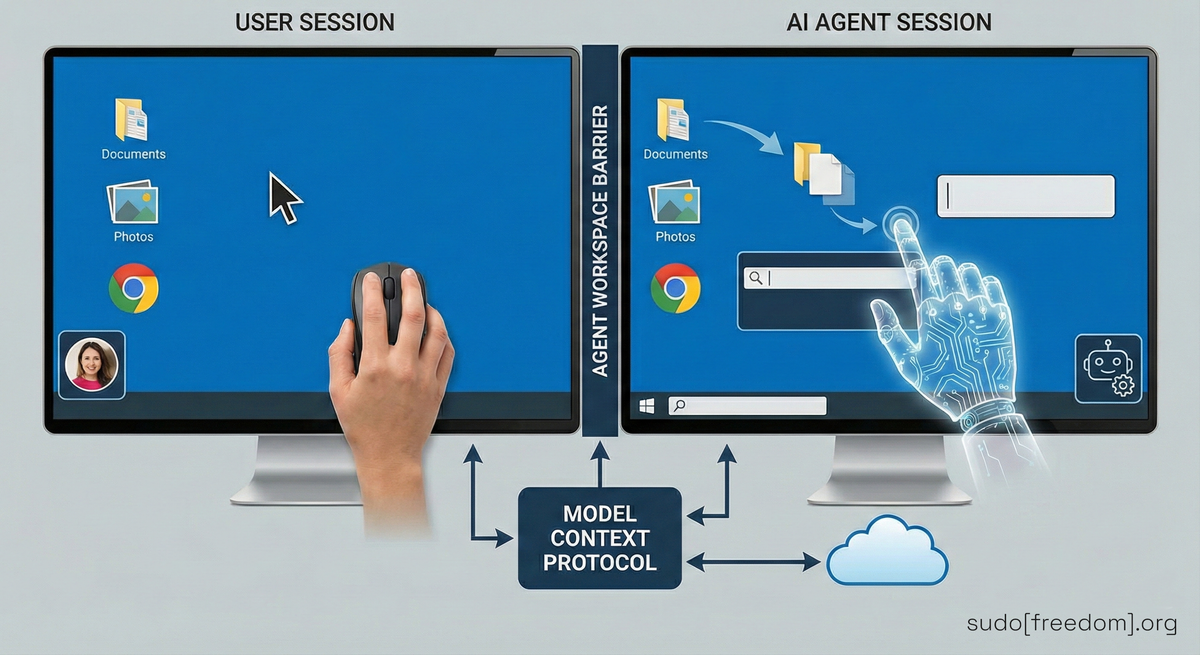
Microsoft is building AI agents into Windows 11 that operate independently on your system. Most coverage debates whether this is good or bad. Nobody is explaining what these agents actually do.
Here is the technical reality of Agent Workspace, how it functions, and what it means for your control over your own computer.
Important: These features are, for the time being, preview-only and not enabled in retail Windows 11 builds. Users must explicitly opt in via Settings, System, AI Components, Experimental agentic features.
Agent Workspace
When you enable experimental agentic features in Windows 11, the system creates separate Windows user accounts for AI agents.
These are limited user accounts, similar to what you might create for a family member. But instead of a human logging in, an AI uses them.
Each AI agent gets its own account. Each account runs in its own Windows session parallel to your normal session. You continue working while the AI operates in the background.
Microsoft compares this to Windows Sandbox, the isolated environment for testing software. But there is a critical difference. Windows Sandbox resets when you close it. Agent Workspace persists.
The AI agents keep their accounts. They maintain state between sessions. They remember what they did before.
Default Permissions
By default, AI agents get read and write access to:
- Documents
- Downloads
- Desktop
- Videos
- Pictures
- Music
They also access folders available to "all users" by default. That means apps and programs installed system-wide.
The agent cannot access other user profile directories unless you explicitly grant permission. But it can access everything in your main user folder's standard locations.
Microsoft calls this "limited access." Technically true. Practically, it covers most of what matters: work documents, personal photos, downloaded files, everything on your desktop.
How the AI Actually Operates
These AI agents do not just run commands or scripts. They interact with your computer the way a human does.
They use vision to see what is on screen. They move the mouse cursor. They click buttons. They type into text fields. They scroll through windows. They drag files .
Microsoft describes this as the agent using "vision and advanced reasoning to click, type, and scroll like a human would".
This is fundamentally different from traditional automation. Traditional scripts follow predetermined steps. They execute specific commands in a specific order.
AI agents analyze the screen, decide what to do next, and execute those actions in real time. The exact sequence of steps is not programmed in advance.
That is what makes them "agentic." They figure out how to complete tasks on their own.
Model Context Protocol
Behind the scenes, these agents communicate through Model Context Protocol, or MCP.
MCP is the bridge between the AI and your applications. It lets the agent discover what tools are available, call functions, read file metadata, and interact with services.
Without MCP, the agent would be blind. It would not know what apps you have installed or how to use them.
MCP provides a standardized way for AI to interact with software. It creates what Microsoft calls "a central enforcement point where authentication, permission to use tools, capability declarations, and logging happen".
This is how Microsoft maintains some control over what agents can do. The AI cannot directly access your files or apps. It has to go through MCP, which enforces rules about what is allowed.
Security Controls
Microsoft outlines three security principles for agentic features:
Observability: "All actions of an agent are observable and distinguishable from those taken by a user." The system logs what the AI does. You can review those logs later.
Privacy-preserving design: "Agents that collect, aggregate or otherwise utilize protected data of users meet or exceed the security and privacy standards of the data which they consume." The AI is supposed to protect your data as well as you do.
User consent: "Users approve all queries for user data as well as actions taken." You authorize what the agent does.
Microsoft phrases these as principles, not guarantees. They describe how the system should work.
Known Risks
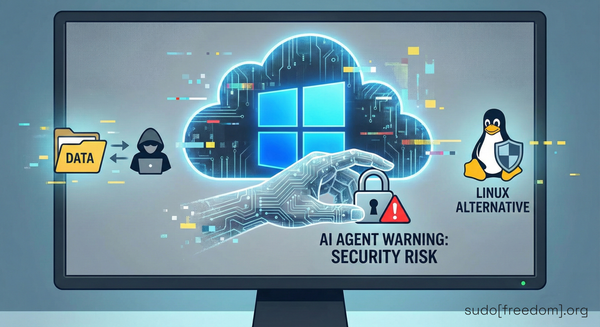
Microsoft acknowledges these agents introduce security risks:
Cross-prompt injection (XPIA): Malicious content embedded in UI elements or documents can override agent instructions, leading to unintended actions like data exfiltration or malware installation.
AI hallucinations: AI models "occasionally hallucinate and produce unexpected outputs". The agent might do unpredictable things even without being attacked.
Persistence risk: Unlike Windows Sandbox, Agent Workspace persists across sessions. A compromised agent does not reset when you restart. A malicious instruction does not disappear when you close the session.
Mitigations Microsoft Proposes
Microsoft implements several mitigations:
Runtime isolation: Each agent runs in its own separate Windows session with scoped permissions.
Audit logs: All agent actions are logged and can be reviewed by users or administrators.
User consent model: Agents must request permission before accessing protected resources.
MCP enforcement: All agent interactions with applications go through the Model Context Protocol, which validates permissions and logs activity.
Enablement and Scope
Microsoft emphasizes that agentic features are off by default. You must manually enable them in Settings under System, AI Components, Experimental agentic features.
What happens when you enable them:
Administrator requirement: You must be an administrator to enable the feature.
System-wide application: Once enabled by any administrator, administrators can choose to apply the feature system-wide for all users on the device. Everyone, including other administrators and standard users.
Experimental status: Microsoft labels these as "experimental" features with a warning: "These features are still being tested and may impact the performance or security of your device".
Current implementation: As of November 2025, only Copilot Actions uses Agent Workspace. No third-party applications support it yet.
What This Infrastructure Enables
Industry analysts suggest that Agent Workspace is foundational infrastructure rather than an end goal. Microsoft's announcements at Ignite 2025 indicated plans to expand AI integration throughout Windows .
Historically, Microsoft has moved experimental features into the core operating system. Windows Subsystem for Linux started as an experimental feature. Virtual Desktops began as a preview. Both are now standard components.
Whether Agent Workspace follows this pattern remains to be seen. Microsoft has not published a specific timeline for moving these features out of experimental status.
Right now it is experimental. Right now it is off by default. Right now it only supports Copilot Actions.
What This Means for Computer Ownership
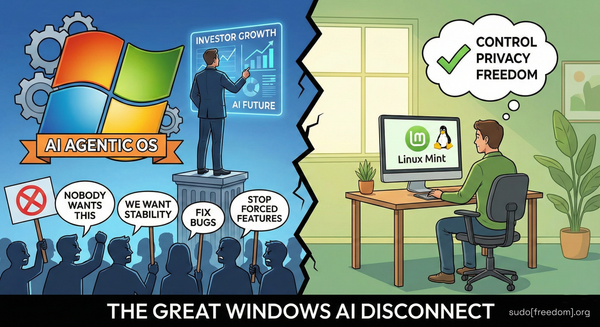
This is about more than security risks or privacy concerns. This is about who owns your computer.
When AI agents operate independently on your system, making decisions about what to do with your files based on their own analysis, you are no longer fully in control.
You become a supervisor monitoring AI activity instead of a user directly controlling your computer.
Many technology commentators have observed that Microsoft is building this infrastructure to position Windows as an AI platform. This aligns with Microsoft's publicly stated strategy of competing in the AI market.
The Alternative: Community-Driven Operating Systems
You do not have to accept this direction.
Community-driven Linux distributions give you operating systems built by people who use them, not corporations chasing AI trends.
Linux Mint is designed for users transitioning from Windows. Familiar interface. Pre-installed software. Focus on stability and ease of use.
Debian provides a rock-solid foundation with strict free software principles. Maximum control and transparency.
Fedora offers newer features while maintaining reliability. Strong security focus with SELinux built in.
Pop!_OS is optimized for both everyday use and creative work. Excellent hardware support and performance.
All of these are free. All run on the same hardware as Windows. All give you full control over your computer. None have AI agents monitoring your files.
The difference matters. Community-driven projects answer to users, not shareholders. If users do not want a feature, it does not get added. If something breaks user workflows, it gets fixed or removed.
This is what happens when software serves people instead of corporate strategy.
What You Can Do Right Now
If you are on Windows 10: Stay there. Do not upgrade to Windows 11. Windows 10 reaches end of support in October 2025. Microsoft offers one year of extended security updates. Use that time to explore Linux options.
If you are on Windows 11: Do not enable experimental agentic features. Review your privacy settings. Decide if you want to continue on this path.
If you want to explore alternatives: Download a Linux distribution and create a bootable USB drive. Try it without installing anything. See if your hardware works. See if you can do your daily tasks.
sudo[freedom].org provides guides for making this transition. We explain how to choose a Linux distribution that fits your needs. We show you how to test it safely. We help you find alternatives for Windows software. We give you the tools to take action.
Not just instructions for one distribution. Resources for understanding your options and making informed choices about your computing future.
The Bigger Question
The technical details of Agent Workspace matter. Understanding how it works helps you evaluate the risks.
But the bigger question is simpler: Do you want an operating system where AI agents act independently on your files?
If yes, Windows is building that future.
If no, community-driven Linux distributions provide a different path. One where you own your computer. Where software respects your choices. Where you decide what runs on your system.
Microsoft built Agent Workspace to enable their agentic OS vision. Now you know what that actually means in technical terms.
The choice is yours.
References
[1] Microsoft Support: Experimental agentic features
https://support.microsoft.com/en-us/windows/experimental-agentic-features-a25ede8a-e4c2-4841-85a8-44839191dfb3
[2] Microsoft Security Blog: Securing the Model Context Protocol
https://www.microsoft.com/en-us/security/blog/2025/11/18/securing-the-model-context-protocol-building-a-safer-agentic-future-on-windows/
[3] Windows Central: Windows evolving into agentic OS
https://www.windowscentral.com/microsoft/windows-11/windows-president-confirms-os-will-become-ai-agentic-generates-push-back-online
[4] TechRadar: Windows 11 users rebel
https://www.techradar.com/computing/windows/windows-11-users-rebel-as-top-microsoft-exec-says-operating-system-is-evolving-into-an-agentic-os
[5] The Register: Windows boss defends AI push
https://www.theregister.com/2025/11/17/windows_agentic_os_feedback/