![sudo[freedom].org](https://sudofreedom.org/content/images/2025/08/sudo.png)
Microsoft Warns That New Windows 11 AI Features Could Be Exploited to Install Malware
![sudo[freedom]](/content/images/size/w160/2025/08/square.svg)
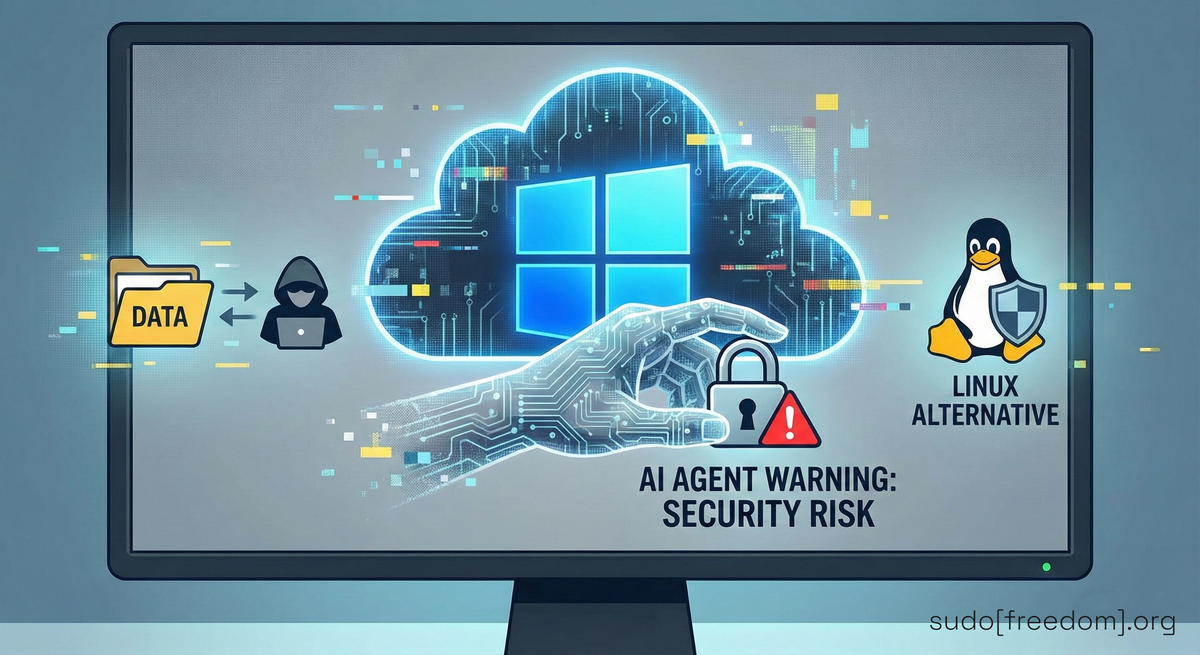
A recent Microsoft support update highlights security risks associated with the experimental "agentic" AI capabilities in Windows 11.
What Microsoft Stated
In a support article titled "Experimental agentic features" (updated November 17, 2025), Microsoft cautions Windows 11 users that the newly introduced AI-driven capabilities, currently available to Windows Insiders, could be manipulated to:
- Install unwanted software (including potentially malicious programs) if an attacker tricks the AI agent with crafted content such as a malicious PDF or a compromised website
- Exfiltrate data by directing the agent to copy files from folders like Documents, Downloads, Desktop, Videos, Pictures, or Music to an external location
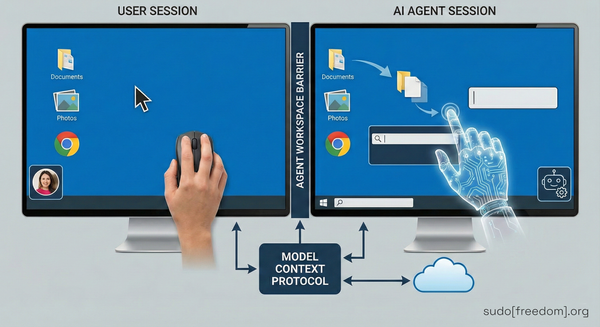
The document explains that these agents operate in a separate "agent workspace" with their own Windows account, which can be granted read and write permissions to the user's folders. By default the feature is turned off, and enabling it requires administrator privileges. Administrators can also choose to apply the setting system-wide, affecting all users on the device.
Microsoft's support document warns agents could be "tricked into installing software" and could lead to "data exfiltration." That software could be malware.
The "Agentic OS" Announcement
Microsoft's President of Windows and Devices, Pavan Davuluri, announced on November 10, 2024 that Windows is "evolving into an agentic OS." In this vision, AI agents would act more autonomously, monitoring files, suggesting actions, and performing tasks without a direct user command.
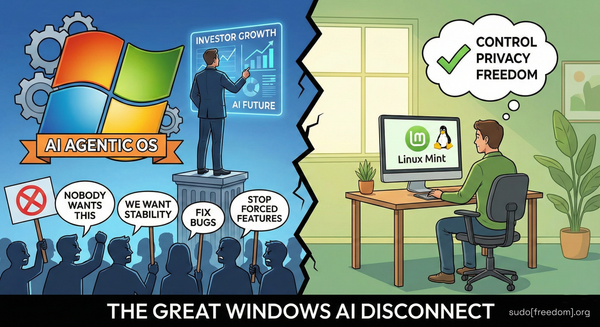
The announcement generated strong pushback from the community, with many users expressing concern over loss of control and privacy. Davuluri's social media post was flooded with replies like "no one wants this" and "straight up, nobody wants this."
He later admitted Microsoft has "work to do" on the operating system after reading through hundreds of angry comments. That was over a year ago. Microsoft updated their security warnings about these features last month.
Why the Warning Matters
Cross-prompt injection attacks: Malicious content can embed hidden instructions that override the AI's intended behavior, leading the agent to perform actions the user never approved.
Potential for malware installation: If an attacker succeeds in injecting such instructions, the agent could be coaxed into downloading and executing malicious binaries.
Data leakage risk: The same mechanism could be used to copy sensitive files to an attacker-controlled server.
AI hallucinations: Microsoft admits that AI models "occasionally hallucinate and produce unexpected outputs." This means the AI might do unpredictable things even without being attacked.
Microsoft emphasizes that these risks exist with this experimental feature. The feature is off by default and requires explicit admin activation. Nonetheless, the warning serves as a reminder that features starting as optional often become standard over time.
What Can Go Wrong
A malicious PDF could contain hidden instructions telling your AI agent to copy sensitive files to an external server. The agent could read those instructions and execute them.
A compromised website could trick your AI agent into installing software without your knowledge.
An AI agent with access to your folders could be manipulated into leaking personal information, financial records, passwords, or private communications.
Features that start as optional become standard. Features that require technical knowledge to disable get buried in settings most users never find. How long before these AI agents are recommended during Windows setup? How long before they are enabled automatically in future updates?
Practical Recommendations for Users
Running Windows 11 with default settings: No immediate action needed. The experimental agentic features remain disabled.
Enrolled in the Windows Insider program: Review the "Experimental agentic features" toggle in Settings, System, AI Components. Keep it off unless you have a specific need and understand the implications.
System administrators: If you must enable the feature for testing or specific workloads, consider applying it per-user rather than system-wide, and monitor logs for any unexpected file-access activity.
Concerned about potential abuse: Regularly back up important data, keep Windows updated, and use reputable anti-malware tools that can detect suspicious file-system activity.
Want to avoid this entirely: Do not upgrade to Windows 11 if you are still on Windows 10. Windows 10 reaches end of support in October 2025, but Microsoft is offering one year of extended security updates.
Alternatives for Those Wanting More Control
If the prospect of autonomous AI agents feels uncomfortable, you have options:
Stick with current Windows 11 configuration: Keep the experimental AI features disabled. Do not opt into AI agents with access to your files. This will be valid until Microsoft makes it mandatory, as they usually do, forcing its user to adopt.
Use Linux: A fully open source desktop environment without built-in AI agents that can act on your files. Most Linux desktop environments can be run from a USB drive for testing before any permanent installation. They run on the same hardware as Windows 10 and Windows 11. They support the software most people actually use for everyday tasks: web browsing, email, office work, media playback.
Both approaches let you retain full manual control over file access and software installation.
sudo[freedom].org provides step-by-step guidance on making the transition to Linux. We explain how to install it, how to replace common Windows software with open source alternatives, and how to take control of your digital life. No technical expertise required. No complicated commands. Just clear instructions that get you from Windows to freedom.
The Bigger Picture
Microsoft's agentic OS vision is not just about Windows 11. It is about the future of computing that companies like Microsoft, Google, and Apple want to build.
A future where your devices think for you. A future where AI decides what you see, what you do, and what happens to your data. A future where you rent access to technology you thought you owned.
You can reject that future.
Microsoft is transforming Windows into a platform that serves its AI agenda. You pay for Windows, but you do not control it. Microsoft controls the updates. Microsoft decides what features get added. Microsoft decides what data gets collected.
And now Microsoft wants AI agents with independent agency operating on your personal files. This is not paranoia. This is what they are building.
Bottom Line
Microsoft's latest support update (November 2025) openly acknowledges that the experimental AI agents in Windows 11 could be tricked into installing software and exfiltrating data. While the feature is still optional and disabled by default, the warning underscores the importance of:
- Understanding what the feature does
- Keeping it turned off unless truly needed
- Monitoring any AI-related activity if you choose to enable it
Stay informed, review your system settings regularly, and choose the operating environment that aligns with your comfort level regarding automated AI actions.
Every person who switches from Windows to Linux is one more person who owns their computer instead of being owned by it.
Microsoft admitted its AI agents are security risks. Believe them.